Showing posts with label Blog Related. Show all posts
Showing posts with label Blog Related. Show all posts
Wednesday, November 4, 2009
Bloggers Beware: Disclose Freebies Recieved or Risk Being Fined up to $11,000 by the FTC!
Yesterday, the Federal Trade commission announced that Bloggers will have to disclose information of ‘freebies’ given to them in exchange of writing a review about a particular product.
This is the first time ever that the FTC have interfered and now they have started to regulate blogging and make it more of a fair review, not biased.
The rules are due to being on Dec 1st and violating them could lead to a fine of up to a massive $11,000. Not many average bloggers including me could afford to even pay half of that sum.
Richard Cleland, assistant director of FTC’s advertising practices division said that reviews should be “clear and conspicuous,” whether it is in text, picture or video form.
But is this rule really here just to scare and penalize bloggers or crack down on dodgy advertisers?
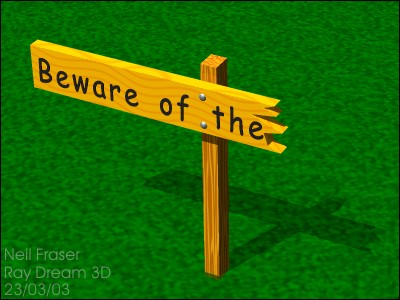 Whatever happened to free speech? Will blogging ever be the same? I thought a blog was to exercise your right of free speech and share your thoughts on particular subjects with the world.
I promise that I will always continue to find good web-applications and say what I think about them. Clean and simple. For those of you bloggers out there just here for a few months to make some quick bucks and get out of here… Bad luck ^^.

Tuesday, November 3, 2009
Entertain Your Reader's By Putting A Game In Your Blog/Site
 Besides having a forum or a chat box in your web siteto enhance interaction on your blog, another new alternative you can try is to embed Flash games and your readers will most probably be glued to the computer screen for hours. Created by founders - Immad Akhund and Jude Gomila, Heyzap was touted as the "YouTube For Flash Games" which offers over 6,000 of the most addictive Flash casual games.
It comes with a widget and when users click on it, a pop-up will be shown and they can start playing the games. This is a great benefit for bloggers or webmasters as the Heyzap game widget can significantly increase the user time on site and traffic. The widget is pretty well-done and gamers can filter their search by selecting different categories (Popular, Sports, Puzzle, etc.) If you've stumbled across an impressive game, you can share it with your friends via email, Facebook, MySpace and many more options.
The folks at Heyzap are planning to work with developers to share their games onto the widget and make money from there by monetizing ads. By forming partnerships with these professional game creators, Heyzap will also get a pie of revenue earned by them.
What Is Your Blog's Rank In Search Engine Find Out With "EXACT FACTOR"
There are tons of SEO tools out there that allows you to check your site positi on in search engines but with Exactfactor, it enables you to track your website position with detailed analysis and received email updates whenever your competitor has bypass you or when you've managed to hit the first page search results in Google.
 To get reports and information about your site ranking, you'd have to sign up for a free account. However, if you just want to check your site position in search engines such as Google, Yahoo and Microsoft Live, you need not to. All you need to do is to head to Exactfactor, enter the site URL and your competitor's site if you want to compare, type in up to 3 keywords or phrases, select either one of the available search engines and click "Analyze".
According to Exactfactor FAQ page, the benefits of using Exactfactor ranking tool are "First of all, ExactFactor Ranking Tool is easy to use. Its finds your website position in your favorite search engine quickly and displays the results simply and clearly. Our Ranking Tool tracks your website position constantly, provides you scheduled search engine optimization reports and send you a notice email when change occurs. You can also track competing sites position relatively to your website."
on in search engines but with Exactfactor, it enables you to track your website position with detailed analysis and received email updates whenever your competitor has bypass you or when you've managed to hit the first page search results in Google.
To get reports and information about your site ranking, you'd have to sign up for a free account. However, if you just want to check your site position in search engines such as Google, Yahoo and Microsoft Live, you need not to. All you need to do is to head to Exactfactor, enter the site URL and your competitor's site if you want to compare, type in up to 3 keywords or phrases, select either one of the available search engines and click "Analyze".
According to Exactfactor FAQ page, the benefits of using Exactfactor ranking tool are "First of all, ExactFactor Ranking Tool is easy to use. Its finds your website position in your favorite search engine quickly and displays the results simply and clearly. Our Ranking Tool tracks your website position constantly, provides you scheduled search engine optimization reports and send you a notice email when change occurs. You can also track competing sites position relatively to your website."
How To Make Your Blog Private
 Some people write blogs just to share about their personal life and thoughts or as an online diary. Like all diaries, you can either allow a select few persons to view the Blog or allow no one but yourself the right to view it. Also, you may not want it to be indexed by search engines, so that people searching for it on the net will not find it in the search results.
Note that these steps are to be taken BEFORE you create the blog. If you already have an existing Blog, it has in all likelihood been indexed. These tips will at best prevent future contents from being seen.
Title and Blog URL
Do not want people to associate that Blog to you? When you create a new Blog, select a Blog URL and Title carefully; choose words that have no bearing or relation to you or what you do. After the Blog is created, DO NOT post. Post only after you have completed the following steps.
Permission
We start with the most crucial and essential step. Blogger has made it easy for you to create private Blogs. When you are logged in, go to Settings -> Permissions. You can restrict your Blog Readers to only people you choose or only the blog authors.
People who enter the Blog URL into their browsers can still see the Blog Title but will be prompted to enter their Google account particulars and password. If they are not given the rights to view the Blog, a message will be shown: “It doesn't look like you have been invited to read this blog. If you think this is a mistake, you might want to contact the blog author and request an invitation.”
While the contents cannot be seen, people do know that this Blog URL with that Blog Title exist and it is a private blog. As we had mentioned, if you don't want anybody to know this Blog is yours, it is important to have a Blog URL and Title that are not obviously connected to you.
Listing on Blogger.com
These are the further steps to take, just to be sure. Under Settings -> Basic, you can see a “Add your Blog to our listings?” option. Choose “No”. Click “Save Settings” at the bottom. This will do three things –
a) Your Blog will not appear when people search Blogger.com.
b) This Blog will not be shown in the Blog List on your Profle page.
c) The Blogger homepage showcases a list of recently updated blogs but this Blog will not be shown.
Ping Setting
Go to Settings -> Publishing and under the “Send Ping” option, choose “No”. Save the Setting. Whenever a Blog is updated, Google will notify some of the tracking services of the updates. If your Blog is private, there is no reason why these services ought to know of your Blog updates.
Site Feed
Your Blog contents can be read through your Site's Atom and RSS Feeds. People can catch up on news and articles by subscribing to these Feeds and viewing the material using their Feed readers. If you do not want your contents to be read or syndicated, go to Settings -> Site Feed and to the question “Allow Blog Feed?” select “None” and click “Save Settings”.
Profile
We thought we should cover this for completeness. In the top right corner of your Dashboard, you can go to the “Edit Profile” page. Under “Show my blogs”, if you see a blog that you do not want people to know about, remove it from the listing. People who view your Profile will not know about the Blog. You can also choose not to share information about your Profile by not ticking the box next to “Share my profile”.
Subscribe to:
Posts
(Atom)