Showing posts with label Face Book Related. Show all posts
Showing posts with label Face Book Related. Show all posts
Saturday, November 14, 2009
Make Backup and Archive all your facebook with ArchiveFacebook
Facebook is popular and everyone used. So, each one have a lot of information in his profile like photos, messages , activity stream, friend list, notes, events, groups and information. What guarantee do you have that Facebook won't accidentally, or in some cases intentionally delete your account? Don't trust your data to one web site alone. Take matters into your own hands and preserve this information. Show it to your kids one day!
ArchiveFacebook is the solution of saving your self. you can manage your data and save content from facebook.
Install ArchieveFacebook before doing below steps. Click here
Here is the Steps of Make Backup and Archive all your facebook
1. First logged into your facebook account and open Archivefacebook uses Firefox menu bar.
2. To do this, click the ArchiveFB --> Show in Sidebar. The sidebar should appear on the left hand side of the screen.
3. To archive your account, press ArchiveFB --> Archive. This will redirect you to your Facebook profile page. You will then see a dialog box telling you that you activity stream will be expanded.
ArchiveFacebook is the solution of saving your self. you can manage your data and save content from facebook.
Install ArchieveFacebook before doing below steps. Click here
Here is the Steps of Make Backup and Archive all your facebook
1. First logged into your facebook account and open Archivefacebook uses Firefox menu bar.
2. To do this, click the ArchiveFB --> Show in Sidebar. The sidebar should appear on the left hand side of the screen.
3. To archive your account, press ArchiveFB --> Archive. This will redirect you to your Facebook profile page. You will then see a dialog box telling you that you activity stream will be expanded.

4. Once the retrieval of your activity stream has completed, the archiving process will begin. You will see a window that says “Capture” on it. This window drives the archive process. Each page to be archived will be listed in the scrollbar pane.

5. Once you have backup of your data, you will see the name in sidebar like “Facebook | username date” Like different backup software, you can also see the multiple archive made at different points. now obverve the browser address urls when you browse your profile. it will show “file://” instead of “http://” indicating that you are browsing a local copy on your hard disk. You can see your all data like photos, friends list, notes, etc from your local drive.
6.For Advance Users who wants to see their data in any other browsers?
6.For Advance Users who wants to see their data in any other browsers?
In the ArchiveFB sidebar, go to Tools > Options. In the Options dialog, go to the Organize tab. In the Location to Store Data, you can specify a different location for your archive.

you can open the indext.html file to open and browse your facebook archive data from within any browser.
Thursday, November 5, 2009
Facebook Layouts: How To Change Your Facebook Background
Well honestly Facebook has clearly become the ideal social network for those wishing to stay in touch with their friends, one thing has always been missing: the ability to change your facebook background with layouts.
Some protest, “But I don’t want any backgrounds–I don’t want to sacrafice speed and simplicity.”
That’s fine. You don’t have to change; however, the lack of ability to actually style your facebook experience is ridiculous. And, finally with PageRage, the ability to style your facebook is now achievable.
I’ve personally looked through a handful of solutions to styling your Facebook background, and without a doubt, PageRage is the best one. Why? Because with PageRage, your friends have a choice to either (i) view your background and install PageRage, or (ii) use Facebook the way they always have: in a plain way.
How PageRage Works:
With PageRage, you must install a Firefox or Internet Explorer extension/plugin that allows you to view stylized facebook backgrounds. After you choose a decked-out Facebook background, your friends can view yours, too; but they must also have the Firefox or Internet Explorer extension found here. The steps to install PageRage are very simple:- Download the plugin for your browser (just click yes whenever the browser asks you a question–and yes, I’ve been using it for months PageRage is 100% safe. )
- Make sure you’re logged into Facebook
- Head back to PageRage and select your layout
- Share with your friends: I’ve found this to be the most important stepbecause your friends can view your styled-out profile only if they have downloaded the plugin, as well.
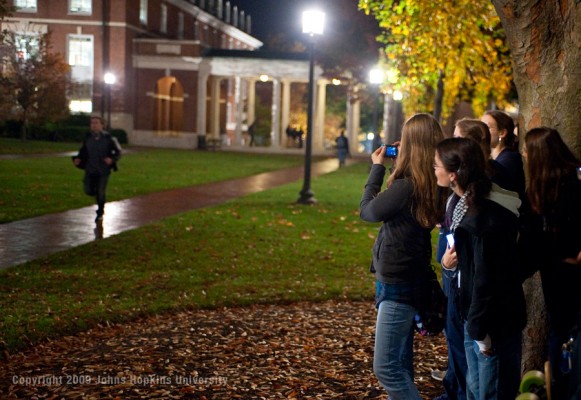
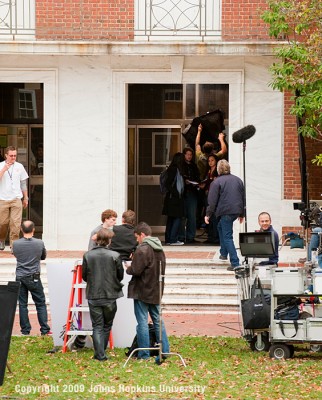
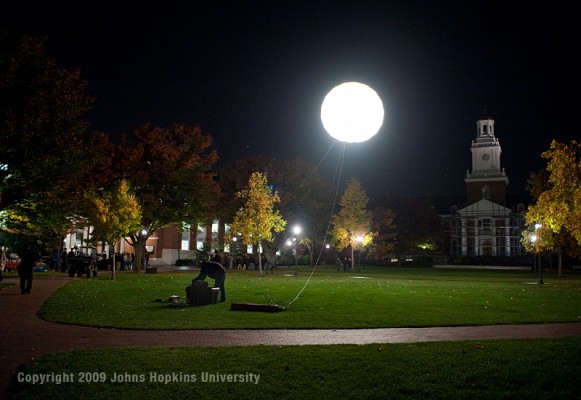
Images @ Filming the "Facebook Movie"

The $45 million dollar film, written by Aaron Sorkin and directed by David Fincher, started production in October this year in Boston, and for the past few days, the crew were at Johns Hopkins University at Washington to film a scene of the movie. The much anticipated film will tell the story of how Mark Zukerberg turned his site, which was created from a Harvard dorm room, to the world’s most popular social networking platform.
“The Facebook Movie”, officially known as “The Social Network”, will be released in 2010. The film stars Jesse Eisenberg as Facebook founder and CEO Mark Zuckerberg and Justin Timberlake as Sean Parker, an early investor in the social networking site and co-founder of Napster.
Photos taken by James (Jay) T. VanRensselaer and Will Kirk, photographers for Johns Hopkins:



Photos taken by Mary Spiro, a science writer/media relations at Johns Hopkins University: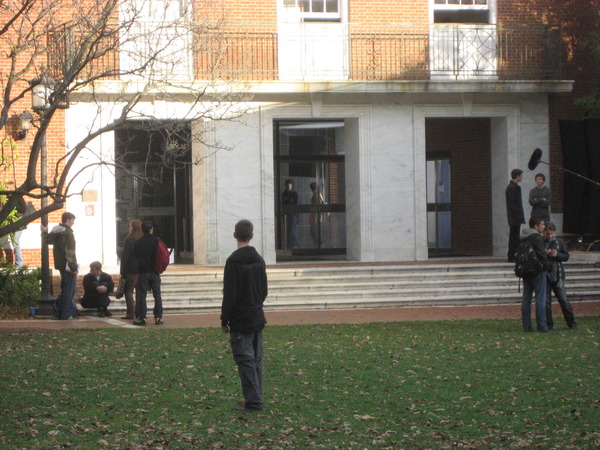





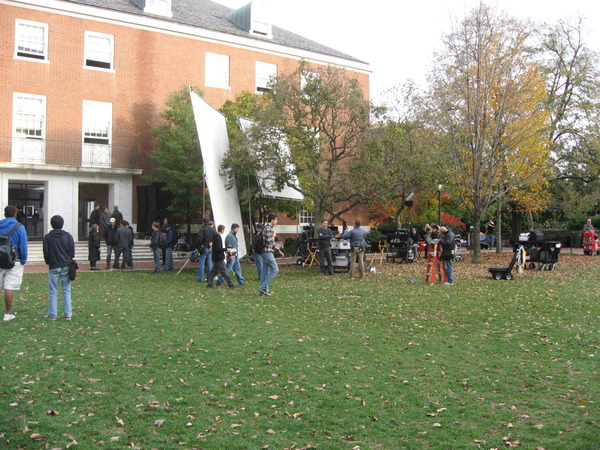
Photos taken by Mary Spiro, a science writer/media relations at Johns Hopkins University:
Tuesday, November 3, 2009
Facebook apparently owns all User Content now
I am sure every one here knows what is Facebook .
Facebook is a social network that helps people get together . Yesterday when i was having my daily addiction of Facebook use i went to there terms of service and guess what i get;-

Facebook updateded its
terms of serviceand according to the new terms, Facebook now reserves all rights to the original content that you upload or have already uploaded (which includes all text, photos, links, notes, videos etc) even after if you choose to close your account on the network or if your account gets disabled for some reason (to which Facebook is not answerable, again all thanks to the terms of services).
It won't create any sort of a serious problem perhaps because users who upload or share any sort of their personal content on the web already understand the stakes and risks involved in maintaining the user privacy on the Internet and certainly most of the users are also aware that the content they share is made public anyway.
But putting this down to a legal statement definitely raises some concerns for the average users as it snatches away all forms of controls from them and also irritates them a bit.
Hide Highlights in Facebook Sidebar
A while ago, Facebook introduced a section of Highlights in its right sidebar which shows the most commented photos, coming events, notes and what others are doing.
Highlights section got a neutral response from everyone. Some liked it, but others found it as an addition to the ever growing clutter on the Facebook homepage.
If you don’t like that highlight section, you can use a userscript to delete that part out of the Facebook homepage. Unfortunately, Facebook being so much customizable, doesn’t allow to enable or disable Highlights, Suggestions or any other section of the homepage.
 To remove Highlights, simply download the Hide Facebook Highlights greasemonkey script and install it in your browser (see below for your browser). It will remove highlights from your Facebook homepage.
Find Orkut Friends On Facebook
 We all know how dominant Orkut was in social networks back in the year 2003. Still many people have friends on Orkut whom they haven’t been able to find on the current in thing – Facebook.
This is an old trick, but you can easily find your Orkut friends on Facebook by following the steps below.
We all know how dominant Orkut was in social networks back in the year 2003. Still many people have friends on Orkut whom they haven’t been able to find on the current in thing – Facebook.
This is an old trick, but you can easily find your Orkut friends on Facebook by following the steps below.
So How to Find Orkut Friends on Facebook
- Drag this Facebook bookmarklet to your browser’s bookmarks bar.
- Now login to your Orkut account, and click the Facebook bookmarklet. If that doesn’t work, you can alternatively try opening this link.
- The Friend Finder tool in Facebook will now looks for your Orkut contacts that are not in your Facebook friends list.
Facebook To Change its Home Page
In an effort to win another battle in the ever-growing war of social networks, Facebook is now planning to roll out a new home page for users with new features and updates.
According to Facebook, the new home page will make it easier for you to understand what's going on around with your friends and will allow you to track their posts in real-time and also control the content in the way you like the most.
A sneak-peak of the new home page can be seen below. As it can be seen in the mockup, the new Facebook layout will put more focus on allowing users to share and read posts.
The new Facebook home page update shall be rolled out to all Facebook users in a couple of days so stay tuned.
As it can be seen in the mockup, the new Facebook layout will put more focus on allowing users to share and read posts.
The new Facebook home page update shall be rolled out to all Facebook users in a couple of days so stay tuned.

As it can be seen in the mockup, the new Facebook layout will put more focus on allowing users to share and read posts.
The new Facebook home page update shall be rolled out to all Facebook users in a couple of days so stay tuned.Facebook Revamps Your Feed
FACEBOOK on Friday modified its news feed feature to let members of the world's leading social-networking service catch up on tidbits they may have missed while away from the website.
Facebook now lets members switch between getting real time streams of news or activities taking place, and highlights of what friends have shared online in the preceding 24 hours, according to Raylene Yung at the California firm.
 'You will be able to catch up on what you may have missed while you were away from Facebook and then easily switch to the real-time stream when you want to see posts as soon as they're shared,' the engineer said in a blog post.
News Feed picks re-cap stories based on factors including how many friends have liked and commented on them.
The Live Feed option funnels updates and news about online friends' activities to Facebook home pages as the information surfaces.
'Some of you may ask why we are changing the home page again,' Ms Yung said. 'We know it can be disruptive when things are moved around, but we hope that these changes make Facebook a more valuable experience for you.
'You will be able to catch up on what you may have missed while you were away from Facebook and then easily switch to the real-time stream when you want to see posts as soon as they're shared,' the engineer said in a blog post.
News Feed picks re-cap stories based on factors including how many friends have liked and commented on them.
The Live Feed option funnels updates and news about online friends' activities to Facebook home pages as the information surfaces.
'Some of you may ask why we are changing the home page again,' Ms Yung said. 'We know it can be disruptive when things are moved around, but we hope that these changes make Facebook a more valuable experience for you.
'You will be able to catch up on what you may have missed while you were away from Facebook and then easily switch to the real-time stream when you want to see posts as soon as they're shared,' the engineer said in a blog post.
News Feed picks re-cap stories based on factors including how many friends have liked and commented on them.
The Live Feed option funnels updates and news about online friends' activities to Facebook home pages as the information surfaces.
'Some of you may ask why we are changing the home page again,' Ms Yung said. 'We know it can be disruptive when things are moved around, but we hope that these changes make Facebook a more valuable experience for you.
“The Facebook Movie” Cast is Official
The core cast for “The Social Network”, or better known as “The Facebook Movie” has been finalized. According to Variety, Columbia Pictures announced the three male leads which traces the drama behind the creation of Facebook. They are Jesse Eisenberg (Mark Zukerberg – CEO of Facebook), Justin Timberlake (Sean Parker – Co-Founder of Napster & Founding President of Facebook) and Andrew Garfield (Eduardo Saverin – Co-Founder of Facebook). I must admit that it’s indeed a brilliant casting, especially Eisenberg, whose physical looks matches Zukerberg’s.
 The $45 million dollar film, written by Aaron Sorkin and directed by David Fincher, is scheduled to start production in October this year in Boston, and later in Los Angeles. But I’m just wondering if $45 million is simply too much for just a movie illustrating the early days of the social platform. No complicated graphics or animations like the Pixar film – Ratatouille – is needed at all.
The much anticipated film will tell the story of how Mark Zukerberg turned his site, which was created from a Harvard dorm room, to the world’s most popular social networking platform. With over 300 million registered users around the world on Facebook, will The Social Network become a compelling firm? Well, only time can tell…
The $45 million dollar film, written by Aaron Sorkin and directed by David Fincher, is scheduled to start production in October this year in Boston, and later in Los Angeles. But I’m just wondering if $45 million is simply too much for just a movie illustrating the early days of the social platform. No complicated graphics or animations like the Pixar film – Ratatouille – is needed at all.
The much anticipated film will tell the story of how Mark Zukerberg turned his site, which was created from a Harvard dorm room, to the world’s most popular social networking platform. With over 300 million registered users around the world on Facebook, will The Social Network become a compelling firm? Well, only time can tell…
Meet the Oldest Facebook Member At Age 102

Nowadays, you could hardly find any Facebook members age above 80, not to say 100. However recently, a 102-year-old woman registered an account with Facebook and attract great attention from people worldwide.
The person is Ivy Bean who is a 102 years old grandmother from West Yorks, UK, believed to be the oldest Facebook member out of a hundred million users worldwide.
Formerly a mill worker, she said that she registered an account with Facebook after hearing caregivers talking about a 97-year-old Facebook member in France. She uses the social-networking site to keep track and contact with friends and relatives.
She posts videos and photos in Facebook, including the gold medal she won in Bradford's "Over-75 Olympics". Currently, she has over 5,000 friends and 8,000 fans.
Ivy has a loving daughter, two grandsons and three great-grandchildren who vist her regularly.
Subscribe to:
Posts
(Atom)